Understanding the Airtel Hello Tune Service
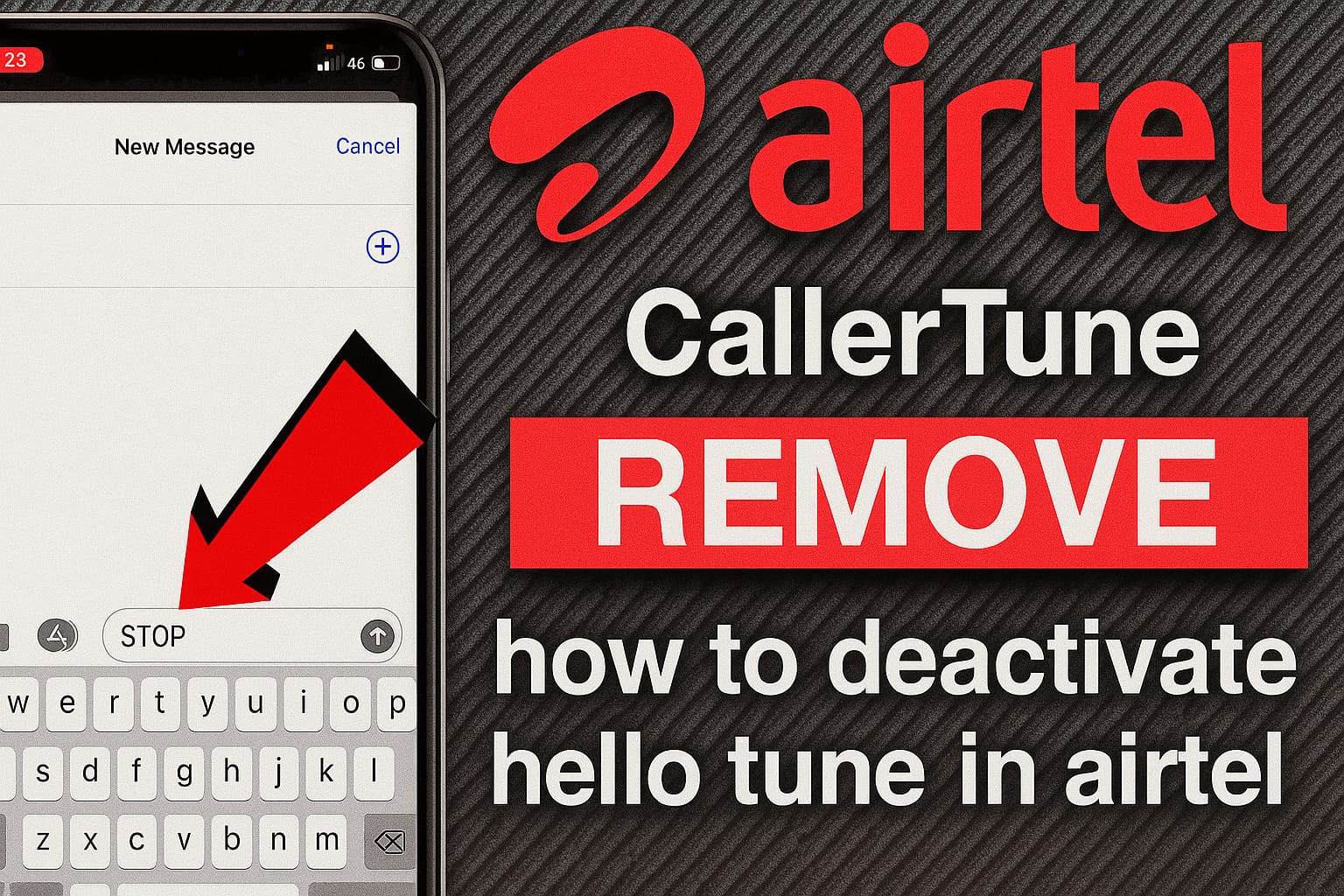
Airtel Hello Tune, also known as a caller tune, is a customizable feature that plays a selected song or sound for callers instead of the standard ringtone. It allows you to personalize the caller experience, but if you no longer enjoy the tune or prefer the default ring, deactivating it is simple. This guide provides multiple methods to disable your Airtel Hello Tune efficiently.
Five Efficient Methods to Disable Airtel Hello Tune
Method 1: USSD Code (Fast and Direct)
- Open the dialer on your mobile device.
- Dial *121*5# using your Airtel number.
- A menu will appear on your screen.
- Select the number corresponding to the active tune (e.g., "1" if it’s the first tune).
- Receive a confirmation SMS indicating successful deactivation.
Visual Tip: A screenshot of the USSD menu would help clarify the selection process.
Method 2: Text Message (Conventional SMS)
- Open your messaging app.
- Compose a new message with the text STOP.
- Send it to 543211 (toll-free).
- Reply to the confirmation SMS as prompted to finalize deactivation.
Visual Tip: A screenshot of the SMS conversation with the confirmation prompt would be useful.
Method 3: Wynk Music App (App-based Method)
- Download and open the Wynk Music app.
- Sign in with your Airtel number.
- Tap the Hello Tunes tab at the bottom.
- Go to Manage Hello Tunes.
- Select All Callers and find the active tune.
- Tap Remove Current Hello Tune.
- Confirm by tapping Yes.
- Receive a confirmation notification.
Visual Tip: A screenshot of the Wynk Music app’s Hello Tunes section would illustrate the steps.
Method 4: Airtel Thanks App
- Download and open the Airtel Thanks app.
- Navigate to the Manage tab.
- Find the Hello Tunes or Caller Tunes section.
- Select the active tune.
- Choose Remove Current Hello Tune.
- Confirm the deactivation.
Visual Tip: A screenshot of the Airtel Thanks app’s Hello Tunes section would enhance clarity.
Method 5: Customer Service Call (IVR Method)
- Dial 543211808 (toll-free) from your Airtel number.
- Follow the Interactive Voice Response (IVR) prompts.
- Select the option to deactivate the caller tune.
- Complete the process as guided by the voice prompts.
- Receive a confirmation SMS.
Visual Tip: A screenshot of the call screen with the IVR number dialed would be helpful.
Alternate Approaches
Customer Care Assistance
If the above methods fail, contact Airtel customer support:
- Dial 121 for general assistance.
- Dial 198 to lodge a complaint.
USSD Alternate Code
Some users report success with dialing *678# to manage Hello Tunes.
Key Considerations

- Processing Duration: Deactivation typically takes effect within 10 minutes.
- Charge-free: All deactivation methods are free.
- Confirmation Prerequisite: Most methods require SMS or voice confirmation.
- Complete Withdrawal: The tune is removed permanently until a new one is set.
Common Issues and Remedies
- Caller Tune Unchanged: If the tune persists, try another method or call 121.
- Absent Confirmation SMS: Wait 10-15 minutes; retry if no SMS is received.
- USSD Failure: Network issues may interfere; retry later or use SMS.
Reasons for Cancelling Hello Tunes
- Fatigue with the current tune.
- Preference for the standard ringtone.
- Avoiding recurring fees (if applicable).
- Streamlining the caller experience.
Pricing and Subscription Framework
Activating Hello Tunes typically costs around Rs. 30/month for standard subscribers, but deactivation is free. Prepaid users on select plans or postpaid users with plans of Rs. 129+ may get Hello Tunes complimentary.
Summary

Deactivating an Airtel Hello Tune is quick and straightforward, whether using the SMS method (STOP to 543211), USSD code (*121*5#), Wynk Music, Airtel Thanks app, or customer service. Ensure you receive a confirmation SMS to verify deactivation. To set a new tune later, these same platforms are available.